This lesson plan is based on a idea from Teaching Adults Second Language Learners by McKay and Tom
Aim - To help refugees use cooking vocabulary, write recipes
Materials - Cooking equipment and ingredients, access to a kitchen, photocopies (see below)
Level - Elementary/intermediate.
1 - Ask students what verbs/words we use to talk about cooking. write some on the board and mime them to ensure understanding. Otherwise ask students to use smart phones for translation.
2 - Elicit words and write them on the board, use mime to ensure understanding.
3 - Hand out this photocopy from Englishwsheets.com


7 - Read the recipe aloud and have students fill in the missing gaps.
8 - When you have finished reading have students take turns in completing the dictation on the board or in groups of 3-4
9 - Now get students to use this as a template for their own recipes, encourage them to use their smart phones to find ingredients and names of cooking equipment
10 Tell students that next lesson we will be cooking together in Oikopolis's kitchen, ask students to say who would like to cook something simple for the class, e;g salads, dips etc that take less than an hour to make. Take students on a tour of the kitchen to check that it has all the equipment they need.,
Aim - To help refugees use cooking vocabulary, write recipes
Materials - Cooking equipment and ingredients, access to a kitchen, photocopies (see below)
Level - Elementary/intermediate.
1 - Ask students what verbs/words we use to talk about cooking. write some on the board and mime them to ensure understanding. Otherwise ask students to use smart phones for translation.
2 - Elicit words and write them on the board, use mime to ensure understanding.
3 - Hand out this photocopy from Englishwsheets.com

4 - Students copy down any words they didn't know, check comprehension.
5 - In pairs, student mime words from the photocopy and the other s have to guess them.
6 - Now explain that you are going to give them a recipe (or write it on the board) and that they have to copy them into their notebooks but some words and/or numbers will be missing. (Just choose numbers for beginner students).

7 - Read the recipe aloud and have students fill in the missing gaps.
8 - When you have finished reading have students take turns in completing the dictation on the board or in groups of 3-4
9 - Now get students to use this as a template for their own recipes, encourage them to use their smart phones to find ingredients and names of cooking equipment
10 Tell students that next lesson we will be cooking together in Oikopolis's kitchen, ask students to say who would like to cook something simple for the class, e;g salads, dips etc that take less than an hour to make. Take students on a tour of the kitchen to check that it has all the equipment they need.,





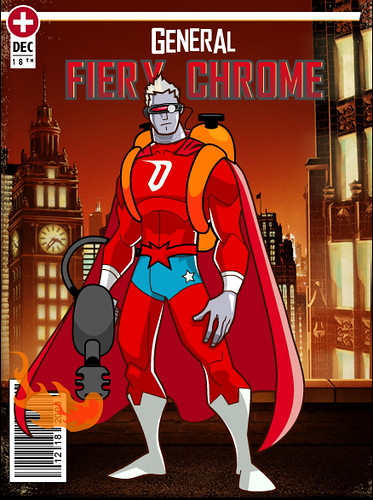





2 What special ability does each possess?
3 What special ability would you like to have have and why. Students write that down on a small piece of paper 5cm by 5cm and hand it in.
4 Tape a small piece of paper on each student's forehead. They are allowed to ask the other students any question they like but the answer most be either "yes" or "no".
E.g. Does it make travel you more quickly?
Is the the ability to fly?
Alternatively
The teacher writes the abilities on the board the the students have to guess which person wanted which ability.
5 Tell students to form into groups of two or three and go to The Hero Factory website.
6 Go through the different categories and explain the terms if necessary.
7 Give each group 10 minutes to design their own superhero comic character.
8 Now each group works on giving a small presentation about their hero which includes abilities, background, history, weakness etc. in a a couple of paragraphs.
9 The superhero could be posted on class/personal blogs.